


Buying a lithium battery should be a two-minute errand. Then you hit a wall.
Your device says "CR2032," but you see CR2025 and CR2016 right next to it. The new battery almost fits, but the door won't close. Or it fits, but your device still shows low battery.
This guide is written for US consumers who want the right battery the first time. We'll cover the lithium batteries that show up most in everyday electronics, how to read the codes, when substitutions are risky, and how to choose the right type for real devices like AirTags, key fobs, Blink cameras, smart locks, trail cameras, handheld GPS units, laser rangefinders, and many small household gadgets.
Key Takeaway: The right lithium battery is the one that matches your device's required size code and voltage. If either is wrong, you can get poor performance, intermittent resets, or safety problems.
Now that you know the core rule—match the exact code and voltage—here's a quick, repeatable way to choose the right battery without second-guessing.
Lithium Battery Guide Quick Start: Pick the Right Battery in 60 Seconds
Here's the fastest way to get the right answer without guessing.
Step 1: Find the code. Look inside the battery door. Many devices print the required battery right on the plastic or metal. If not, check the manual or look up the device model + "battery type."
Step 2: Match the code exactly. If your device says CR2032, start with CR2032. Not "close enough." Not "compatible with." Exact.
Step 3: Confirm the voltage. Most coin cells labeled CR are 3V. Most AA lithium primary batteries are 1.5V. If your device needs 3V and you put in 1.5V, it won't work.
Step 4: Think about environment. Outdoor gear and security devices often perform better with lithium primary batteries than alkaline, especially in cold.
Step 5: Buy smart. Don't buy based on the product photo. Buy based on the printed code, and be cautious of listings that claim multiple codes are "interchangeable" without explaining thickness and fit.
If you're stuck between two sizes that look similar, skip ahead to the code section and read the "swap" guidance before you buy anything.
Before getting deeper into sizes and substitutions, it's worth covering one topic that matters more than performance: safe handling and storage of coin cells at home.
Coin Cell Battery Safety: What Every Household Should Know
The safety guidance below is based on reputable US sources:
- National Capital Poison Center: Poison.org's button battery ingestion guideline (2025)
- American Academy of Pediatrics: AAP guide to button and lithium coin batteries (2024)
- U.S. Consumer Product Safety Commission: CPSC update on Reese's Law and button battery standards (2023)
- Children's Hospital of Philadelphia: CHOP's lithium "button" battery safety guidance
Everyone at Bevigor has a printed version of a lithium battery safety guideline at home. In my case, my guideline leaflet helped my wife keep batteries safely from my daughter (and my dog too). I suggest you do so as well.
How to Prevent Coin Battery Accidents
Start with a simple idea: treat coin batteries like medication.
Store spare batteries high, locked, and out of sight. Don't keep them in a junk drawer. Don't leave them loose in a bag. And don't set "dead" coin batteries on a counter. Even used batteries can still cause injury.
Next, check the devices that get left out. Key fobs, remote controls, bathroom scales, thermometers, flameless candles, light-up greeting cards, and certain toys are common sources. If you can choose between two versions of a product, prefer the one with a battery compartment that needs a tool (like a screw) to open.
Finally, build one habit: after every battery change, make sure the compartment closes fully. A battery door that "kind of" closes is the kind that pops open later.
What to Do if You Suspect a Child Swallowed a Coin Battery
This is an emergency. Don't wait for symptoms.
Go to an emergency department right away and tell them it could be a lithium coin battery. Call Poison Control at 1-800-222-1222 and follow Poison.org's guideline linked above.
Poison Control guidance may include giving honey for children 12 months and older in specific situations. Don't delay the ER visit, and don't give honey to infants under 12 months.
⚠️ Warning: Button/coin battery ingestion can be life-threatening even if a child seems okay. Fast action matters.
What About Batteries in Noses and Ears?
It's also urgent. Don't try to "wait it out." Follow Poison.org's guideline and get medical care quickly.
With the safety basics in mind, the next step is clearing up a common shopping misunderstanding: "lithium" can refer to very different battery chemistries.
"Lithium Battery" Doesn't Always Mean the Same Thing
In everyday shopping, "lithium battery" can mean:
- Primary lithium (non-rechargeable): coin cells like CR2032 and cylinders like CR123A
- Lithium-ion (rechargeable): battery packs in phones, laptops, and many cameras
If your device has a built-in rechargeable pack, don't try to replace it with a coin cell or AA. You're dealing with a different battery system.
Once you're sure you're looking at the right kind of "lithium," the fastest way to avoid buying the wrong one is to understand what the code actually tells you.
How Battery Codes Work (CR2032, CR2025, CR2016, CR2450)
Most lithium coin cells labeled "CR" follow a size pattern.
- CR2032: about 20 mm diameter, 3.2 mm thick
- CR2025: about 20 mm diameter, 2.5 mm thick
- CR2016: about 20 mm diameter, 1.6 mm thick
- CR2450: about 24 mm diameter, 5.0 mm thick
Those tiny thickness differences matter because coin-cell devices are basically spring-and-contact systems. The battery has to be thick enough to press firmly against both contacts.
CR2032 vs CR2025 vs CR2016: What's the Real Difference?
These three are the most confused coin cells because the diameter is the same. What changes is thickness, and thickness affects both fit and runtime.
A practical way to think about it:
- If the compartment was designed for a CR2032, a CR2025 might work in some devices, but it can also cause intermittent contact. A CR2016 is more likely to be too thin.
- If the compartment was designed for a CR2025, a CR2032 may be too thick, and you can crack the plastic battery holder or jam the door.
- If the compartment was designed for a CR2016, it's usually because space is tight. A thicker battery can cause problems.
If you're in doubt, don't "upgrade." Match the code.
CR2450 Battery: When You'll See It
CR2450 is larger than the 20 mm coin cells. You'll see it when a product needs a coin cell with more runtime and the compartment is physically bigger.
Some devices use CR2450 because they need a longer service interval, not because they're more "power hungry." In other words, CR2450 can be about maintenance convenience as much as electrical demand.
You can't substitute CR2450 into a CR2032 compartment. It won't fit.
Common Coin Cell "Equivalents" on Packaging
You may see other codes listed on packaging that look like "DL2032" or "ECR2032." In many cases, those are brand-specific naming conventions for the same physical size.
Your safe approach is still: match the physical size code your device asks for.
Coin Cell Buying Tip: Diameter Matters, but Thickness Usually Causes the Problems
If you've ever replaced a coin cell and your device worked for a day, then started acting weird, contact pressure is a top suspect.
When a battery is too thin, the device may reboot when you press a button, lose connection when you pick it up, or show "low battery" even with a fresh cell.
Shelf Life, Self-Discharge, and Why Sealed Packaging Matters
A lot of people assume a new battery is always a good battery. Not necessarily.
Primary lithium batteries are known for long shelf life, but that doesn't mean every battery sitting in a drawer is "fresh." If a pack was opened years ago, stored in a hot garage, or carried loose in a bag, performance can suffer.
Practical rules:
- If you're troubleshooting a device, test with a battery from sealed packaging.
- Store spares indoors in a stable, dry place.
- If you buy a multipack, date the package with a marker so you know how old it is.
After coin cells, the next most common "small but powerful" lithium batteries are the 3V cylinders—similar voltage, very different shapes and use cases.
Special 3V Cylinders: CR2 and CR123A
CR2
CR2 is a compact 3V cylinder that shows up in some compact cameras, camera accessories, certain laser rangefinders, and small instruments.
CR2 devices are often compact and lightweight. That's why you see CR2 in things like rangefinders and some cameras: it's a balance of size and power.
CR123A battery (also called CR17345)
CR123A is a larger 3V lithium cylinder. It's common in high-output flashlights and tactical lights, plus many security devices and certain camera gear. You may also see "CR17345" listed as an equivalent code in some contexts.
CR123A is popular in "serious" devices for a reason. It can deliver higher current than a coin cell, which matters for bright lights and electronics that transmit data.
CR2 and CR123A are not interchangeable. Same voltage, different size.
If your device uses standard AAs instead of 3V lithium formats, the decision shifts from "will it fit?" to "which chemistry performs best for how you use it?"}
AA Lithium Batteries: When They're Worth It
People buy AA lithium batteries for three reasons.
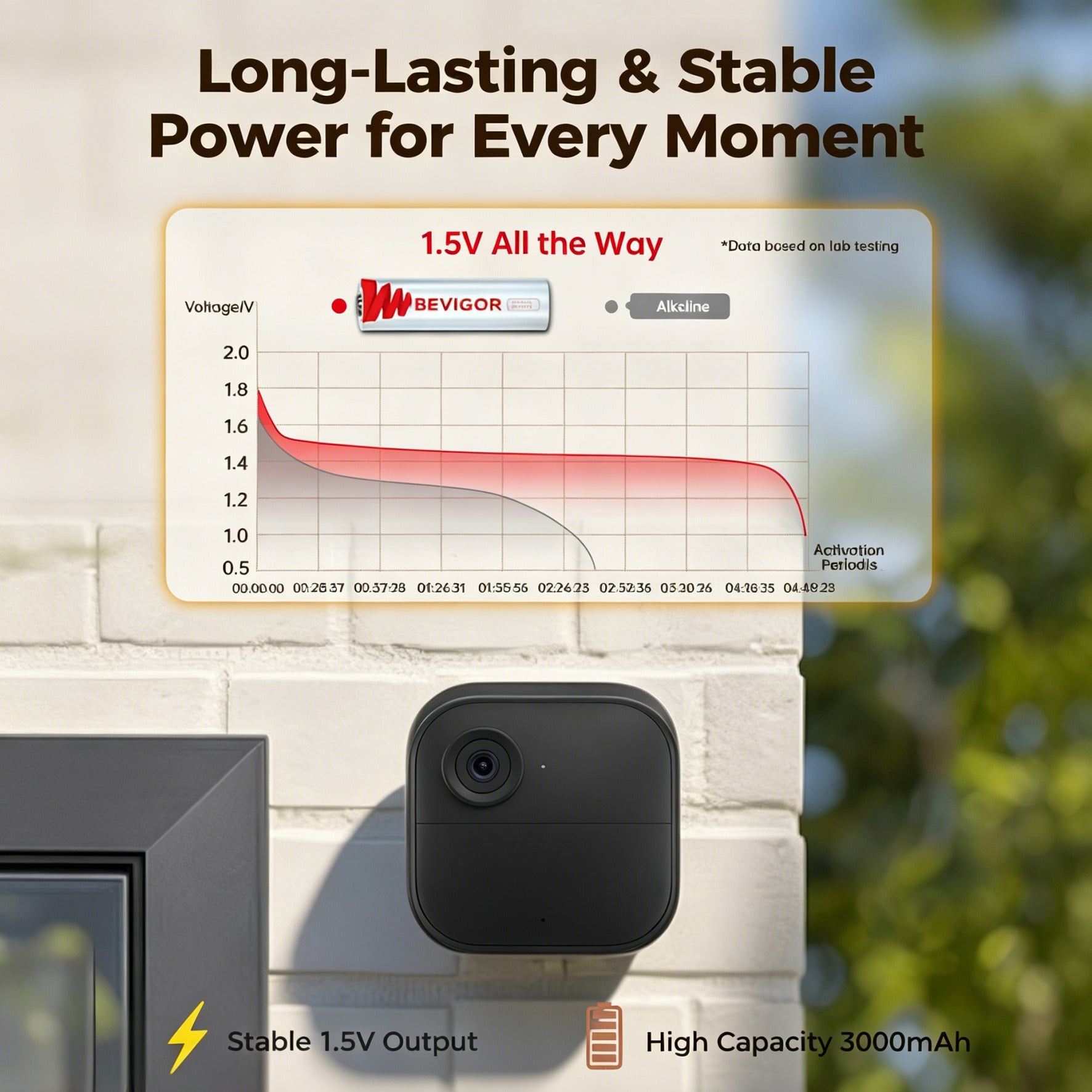
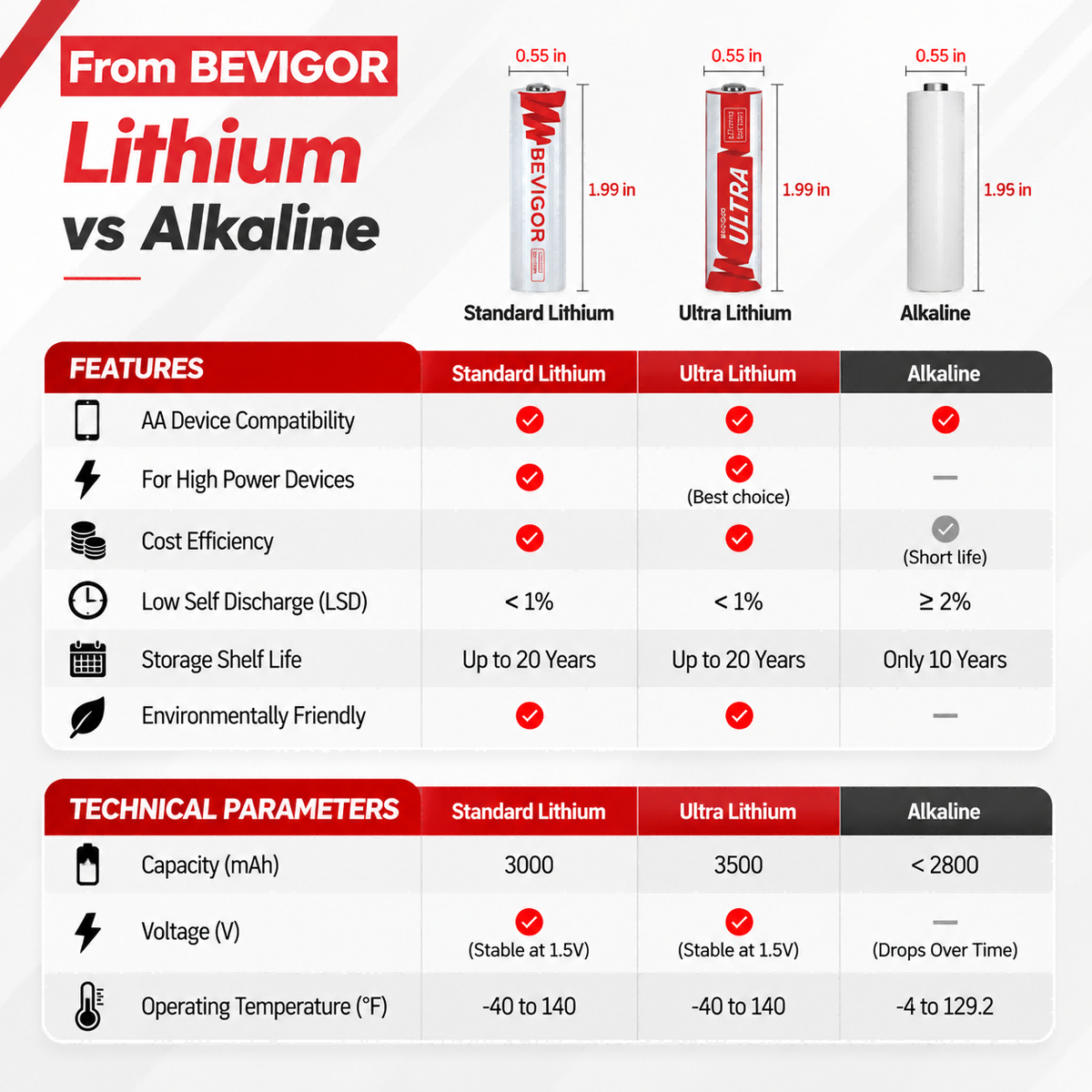
First, they hold voltage more steadily under load. Second, they tend to perform better in cold weather. Third, they have low self-discharge, which matters if you store gear for months.
They're not automatically "better" for every device. If a device is low-drain and used indoors, alkaline may be fine. The point is to match the battery to how the device is used.
AA Lithium vs Rechargeable AA: Which Should You Use?
This is one of the most common points of confusion.
- AA lithium primary (non-rechargeable) is a good choice when you want long shelf life, cold-weather reliability, and you don't want to deal with charging.
- Rechargeable AA (often NiMH) is a good choice when you're changing batteries frequently and can recharge easily.
The catch is that many rechargeables are 1.2V nominal, not 1.5V. Some devices don't care. Some devices do. If a device behaves strangely with rechargeables (short runtime, wrong battery indicator), use the type the manufacturer recommends.
To make all these sizes easier to compare at a glance, here's a quick chart that ties each code to the kinds of devices you'll usually see it in.
A Simple Compatibility Chart for the Batteries in This Guide
The following chart is a Battery Type cheatsheet, based on ANSI Portable Cell and Battery standards. This isn't meant to replace your device manual. It's meant to help you recognize what you're looking at.
|
Battery type |
Typical voltage |
Typical device examples |
What to double-check |
|
CR2032 / CR2025 / CR2016 |
3V |
Trackers, key fobs, watches, some medical devices |
Thickness and contact pressure |
|
CR2450 |
3V |
Some wearables, sensors, specialty electronics |
Bigger diameter (won't fit 20 mm slots) |
|
CR2 |
3V |
Some cameras, rangefinders, instruments |
Don't confuse with CR123A |
|
CR123A / CR17345 |
3V |
Flashlights, tactical lights, some security devices |
Size and polarity; replace pairs together |
|
AA lithium primary |
1.5V |
Trail cameras, GPS units, smart home devices, cameras |
Multi-cell devices: replace all at once |
With the main types in view, it helps to know where mistakes usually happen—so you can avoid the most common traps before you hit "buy."
The Five Most Common Ways People Buy the Wrong Battery
1) Buying based on the picture instead of the code. Many listings use a generic photo.
2) Assuming all CR20xx are interchangeable. They aren't. Thickness matters.
3) Treating a thicker coin cell as a safe "upgrade." If the compartment wasn't designed for it, it's not safe.
4) Mixing old and new cells in devices that use multiple batteries.
5) Ignoring temperature. Alkaline performance can drop hard in cold weather, which matters for outdoor cameras and trail cams.
Now let's connect battery codes to real-world devices, starting with wearables and health-related tools where reliable contact and stable voltage matter a lot.
Wearables and Personal Health Devices (Watches, HR Monitors, Small Medical Tools)
Most devices in this category care about stable voltage and reliable contact. They're small, so coin cells are common. That said, "wearables" covers a wide range.
Some devices are rechargeable. Some are coin-cell powered. Your goal is to know which you have.
Smartwatches and Fitness Trackers
Many smartwatches are rechargeable and don't use replaceable coin cells. If your watch charges on a puck or cable, you're not shopping for CR batteries.
If you're dealing with a wearable that uses a replaceable coin cell (often simpler fitness devices or accessories), the rule is the same: match the code.
If your device shows "low battery" right after replacement, check the basics before assuming the battery is bad.
The battery may be upside down. The compartment may not be fully closed. The battery may be the wrong thickness and isn't making firm contact. Or the contacts may be dirty.
Watches
Many watches use coin cells. The specific size varies widely.
The most useful habit is simple: take a photo of the old battery (showing the code) before removing it. That photo saves you from guessing later.
Also, don't assume your partner's watch uses the same battery as yours. Two watches can look similar and use different sizes.
Heart-Rate Monitors and Chest Straps
Many chest straps use coin cells because they have long standby life.
Two real-world issues pop up a lot.
The first is moisture. Sweat can creep into the battery door over time. If the contacts look dull or corroded, clean gently and make sure the seal is intact.
The second is contact pressure. If the cap isn't tightened fully (for models with a twist cap), the battery can lose contact during movement. That can look like a battery problem when it's really a door problem.
Small Medical Devices
Examples include some glucose meters, thermometers, and home monitoring tools.
Important note (not medical advice): always follow the device instructions. Medical devices can be sensitive to low voltage and poor contact. If the device behaves oddly after a battery change, contact the device manufacturer.
Hearing-Related and Assistive Devices
Not all health-related devices use lithium coin cells. Some use hearing aid zinc-air batteries, and some are rechargeable. If you're shopping for a hearing aid battery, don't assume it's a CR coin cell.
Pro Tip for Any Health Device: Don't "Make It Fit"
If a device is related to health or safety, treat battery matching as non-negotiable.
A "close enough" battery that occasionally loses contact can cause unreliable readings or device resets. For a toy, that's annoying. For a medical device, it's a problem.
Next up are smart home and security devices, where battery choice affects not just runtime, but also reliability during temperature swings and spotty signal conditions.
Smart Home and Home Security (Blink Cameras, Smart Locks, Sensors, Alarms)
Smart home devices are a mix. Some use AAs. Some use CR123A. Some use coin cells.
Blink Cameras
Blink cameras are a perfect example of "check the label." Some models use AA batteries.
If your Blink camera takes AAs, lithium AAs are often chosen because these cameras can be deployed outdoors and may need reliable performance through temperature swings. For example, according to Bevigor Lab tests, an AA battery for Blink cameras can resist extreme temperature from -40°F to 140°F.
If your camera drains batteries quickly, the cause is often settings rather than battery quality. High motion activity, frequent live views, high video quality, and extreme temperatures all increase battery drain.
A practical tactic: after you replace batteries, monitor for a week. If the camera is triggering constantly (trees moving, a busy street), consider reducing sensitivity or repositioning it.
Smart locks
Smart locks can be battery-sensitive because the motor draw spikes during lock and unlock.
Common setups include four AA batteries or eight AA batteries, depending on design.
If you're getting "low battery" alerts too often, think beyond the battery.
A misaligned door causes the lock to strain. A deadbolt that rubs causes the motor to work harder. Even weather stripping can make the bolt harder to throw. All of that can chew through batteries.
If you live in a cold area or the lock is on an exterior door, lithium AAs can help maintain performance when temperatures drop.
Smart Door/Window Sensors and Motion Sensors
Sensors are usually low drain, but they're "always on." They're waiting for a trigger.
Battery life depends on how often the sensor triggers, signal strength to the hub (weak signal can increase power use), and temperature (for garage sensors and outdoor placements).
If a sensor keeps dying early, check signal strength and placement before blaming the battery.
Smart Locks and Sensors Share the Same "Quiet Killer": Weak Signal
When a battery-powered device has a weak connection to the hub, it may retry communication repeatedly. That can make a good battery look like a bad battery.
If you've replaced batteries and the device still drains fast, try moving the hub, adding a repeater, or adjusting placement.
Alarms, sirens, and safety devices
Some alarm devices use AAs or specialty batteries.
If a device affects safety, don't push batteries to the limit. Replace them early so you're not troubleshooting when you need the system most.
If home devices are demanding, outdoor gear is even tougher on batteries—cold mornings, long idle periods, and sudden high-drain bursts all punish the wrong choice.
Outdoor Gear and Tactical Electronics (Trail Cams, GPS, Rangefinders, Weapon Lights, Night Vision)
Outdoor devices punish batteries.
They can sit unused for weeks, then suddenly pull a lot of power. They can face freezing mornings and hot afternoons. And they can be inconvenient to service.
That's why primary lithium batteries are common in this category. It's not about being fancy. It's about reducing failure.
Hunting Trail Cameras
Most trail cameras run on multiple AAs.
A trail camera does two kinds of work. It waits quietly, then it wakes up and may fire an IR flash, record video, or transmit data.
The biggest battery killers are often the ones you can control.
Long video clips. Very high sensitivity in a busy spot. Lots of "test" triggers while you're setting it up.
If you want maximum runtime, set it up carefully, then stop messing with it.
If you're hunting in cold weather, lithium AAs are often the more reliable choice.
Handheld GPS Units
Many handheld GPS units use AA batteries.
If you hike or hunt in cold weather and you want a set-it-and-forget-it battery, lithium AAs are usually a safe bet.
If you use the GPS constantly and you can recharge often, good rechargeables can be cost-effective. Just remember that many rechargeables are 1.2V nominal, and some devices behave differently. Follow the manufacturer's guidance.
Laser Rangefinders
Many rangefinders use CR2 batteries.
Two mistakes show up again and again.
The first is buying CR123A because "it's a 3V lithium too." It won't fit.
The second is storage. Leaving a rangefinder in a hot car for weeks can shorten battery life and stress electronics.
If you want your rangefinder to work when it matters, store it indoors between trips and carry a spare battery in your pack.
Weapon-Mounted Lights (Gun Lights)
Many weapon lights use CR123A batteries (sometimes two).
These lights can demand high power in short bursts. That's why they commonly use CR123A.
Two practical safety points.
First, use the correct battery type and don't mix brands or types within the same device.
Second, if your light uses two cells, replace both at the same time. One old cell plus one new cell is a recipe for uneven performance.
Night-Vision Devices
Night-vision devices vary a lot by model and accessory.
Some units use AAs. Some use CR123A. Some use specialized packs.
The safe way to choose is simple: read the exact code from the device or manual and match it. Don't improvise. Wrong voltage can damage expensive electronics.
Cold-Weather Storage Tip for Outdoor Gear
If you keep spares in a pack, keep them dry and protected. A battery rolling around with loose metal objects can short and heat up.
Use a small plastic case, and don't toss coin cells into a pocket where they can touch keys or change.
After outdoor gear, the pattern flips back to tiny, low-drain electronics—trackers and remotes that usually work great, as long as thickness and contact pressure are right.
Trackers and Automotive Accessories (AirTags, Key Fobs, Car Remotes)
Apple AirTag
AirTags commonly use a CR2032 3V lithium coin battery.
If your AirTag still shows low battery after replacement, remove and reseat the battery and make sure the contacts are clean. Sometimes the issue is contact pressure rather than the battery itself.
Also pay attention to the battery door. If the door doesn't fully lock, the battery can lose contact when jostled.
Car Key Fobs
CR2032 and CR2025 are both common depending on the fob model.
Open the fob and read the code on the old battery. If the old battery is missing, look for the required code printed inside the fob.
A common swap risk: if the fob was designed for CR2032, using CR2025 may work temporarily but can lead to inconsistent contact in some designs.
Car Remotes and Garage Door Remotes
Battery type varies by model.
Don't assume a remote uses a coin cell just because it's small. Many use A23, AAAA, or other formats. Read the label and match it.
Other Personal Trackers
Some trackers use CR2032, others use different coin cells (or rechargeable batteries). The same rule applies: match what the device asks for.
Automotive Accessories Beyond the Key Fob
Many small automotive accessories use batteries too.
Examples include tire pressure gauges with backlights, small GPS trackers, and auxiliary remotes.
The safest approach is still to find the code. If there isn't one, search the model number. Don't choose a battery by shape alone.
From there, it's a short jump to the mixed bag of small electronics—devices where "lithium battery" could mean a coin cell, a 3V cylinder, or a rechargeable pack depending on the model.
Cameras, Calculators, and Other Small Electronics
This is where people waste money by guessing.
Calculators
Many calculators use coin cells.
Thin calculators often use thinner coin cells. Solar calculators may still have a coin cell backup.
If your calculator resets when you press keys, that can be a sign of weak contact or a battery that's too thin for the compartment.
Digital Cameras
Most modern cameras use rechargeable lithium-ion packs, not replaceable primary lithium.
But some accessories and compact devices may use:
- AAs
- CR2
- CR123A
- coin cells for memory backup or small accessories
If you're not sure what your camera uses, look for a battery tray label. If there isn't one, search your camera model + "battery type" and confirm it matches what's printed on the original battery or battery door.
Handheld Sensors and Meters
Handheld sensors include small laser tools, measurement tools, and handheld instruments.
When lithium helps.
If you use the device outdoors or store it for long periods, primary lithium's low self-discharge can be useful. For an occasional-use tool, the bigger goal is reliability after months in a drawer.
Household Gadgets That Often Use Coin Cells
A lot of "small stuff" in a house uses coin cells.
Kitchen scales, thermometers, digital calipers, small remote controls, and novelty gadgets are common examples.
If you're replacing coin cells in something cheap, don't treat that as permission to ignore safety. Loose coin cells are still dangerous around kids.
If you'd rather shop by device name than by battery code, these quick callouts tie the most common gadgets to the battery types you'll typically need.
Choosing Batteries for Common Devices (Quick Callouts)
People often search by device name instead of battery code. Here are the most common pairings you'll run into, plus what to check so you don't buy the wrong one.
AirTag
Most AirTags use CR2032. Some CR2032 cells with special coatings may cause connection issues in certain devices. If a "brand new" battery doesn't register properly, try a standard CR2032 from sealed packaging and make sure the contacts are clean.
Car key fob
CR2032 and CR2025 are the two most common. The code on the battery is the final answer.
Smart door lock
Many smart locks use AA batteries. Check whether your lock takes 4 AA or 8 AA, and replace all at the same time.
Trail camera
Most trail cameras use multiple AAs. If you're hunting in cold weather, lithium AAs are often chosen for reliability.
Laser rangefinder
Often CR2. Don't buy CR123A unless the device specifically calls for it.
Weapon light
Often CR123A (sometimes two). Replace the pair together.
Digital camera accessories
Some flashes and accessories use AAs. Some compact gear uses CR2 or CR123A. Check the tray label.
Once you've identified the correct size and type, the last step is buying safely—because the right code on a listing doesn't always guarantee a trustworthy cell.
How to Buy Lithium Batteries Safely (and Avoid Counterfeits)
A few shopping habits reduce headaches.
Buy based on the printed code, not the listing title. Avoid listings that claim multiple codes are "compatible" without explaining fit, especially thickness.
Be careful with unusually low prices. Counterfeits and low-quality cells are a real issue in online marketplaces.
Prefer packaging that is clearly labeled, sealed, and has warnings that match modern standards (see the CPSC discussion of Reese's Law button battery safety standards, linked earlier).
If you're buying coin cells and you have kids at home, packaging matters. Secure packaging is not a minor feature.
Quick Checklist Before You Buy a Multipack
Before you buy 10 or 20 batteries at once, make sure you can answer these questions:
- Do you know the exact code your device needs (CR2032 vs CR2025 vs CR2016, or CR2450)?
- If it's a coin cell, have you confirmed thickness matters for your device?
- If the device takes multiple AAs, are you willing to replace them as a full set?
- Will you store the extras safely, out of reach of children?
Multipacks save money only if you bought the right size.
A Note About "Child-Resistant" Packaging
Packaging helps, but it doesn't replace behavior.
If you open a pack of coin cells and leave one on a counter, the packaging has done its job and you've undone it. Put spares away immediately.
Don't Mix Lithium and Alkaline in the Same Device
If a device takes multiple cells, don't mix chemistries.
A device that uses four AAs, for example, should use four matching cells. Mixing lithium and alkaline can lead to uneven discharge and unpredictable behavior.
After purchase, a little care in how you store and dispose of batteries helps prevent performance issues—and avoids avoidable safety hazards at home and on the road.
Storage and Disposal Basics
Store batteries in a cool, dry place.
Keep loose coin cells in original packaging or a locked container. Don't store loose batteries where they can short against metal.
A few practical storage rules help keep batteries (and your home) safer:
- Don't carry loose coin cells in a pocket, purse, or glove box where they can touch metal.
- If you keep spares in a kit, use a dedicated plastic battery case.
- Don't store batteries in direct sun or near heat sources.
- If a battery looks swollen, corroded, or damaged, don't use it.
For disposal, follow local household hazardous waste or battery recycling guidance.
If you'd like to see real product examples for the most common sizes discussed above, this optional section points to a few matching categories.
Bevigor Examples (Optional, if Your Device Matches)
This guide is brand-neutral. If you want examples of common sizes:
- For coin cell sizes (CR2032, CR2025, CR2016, CR2450), you can browse BEVIGOR coin batteries.
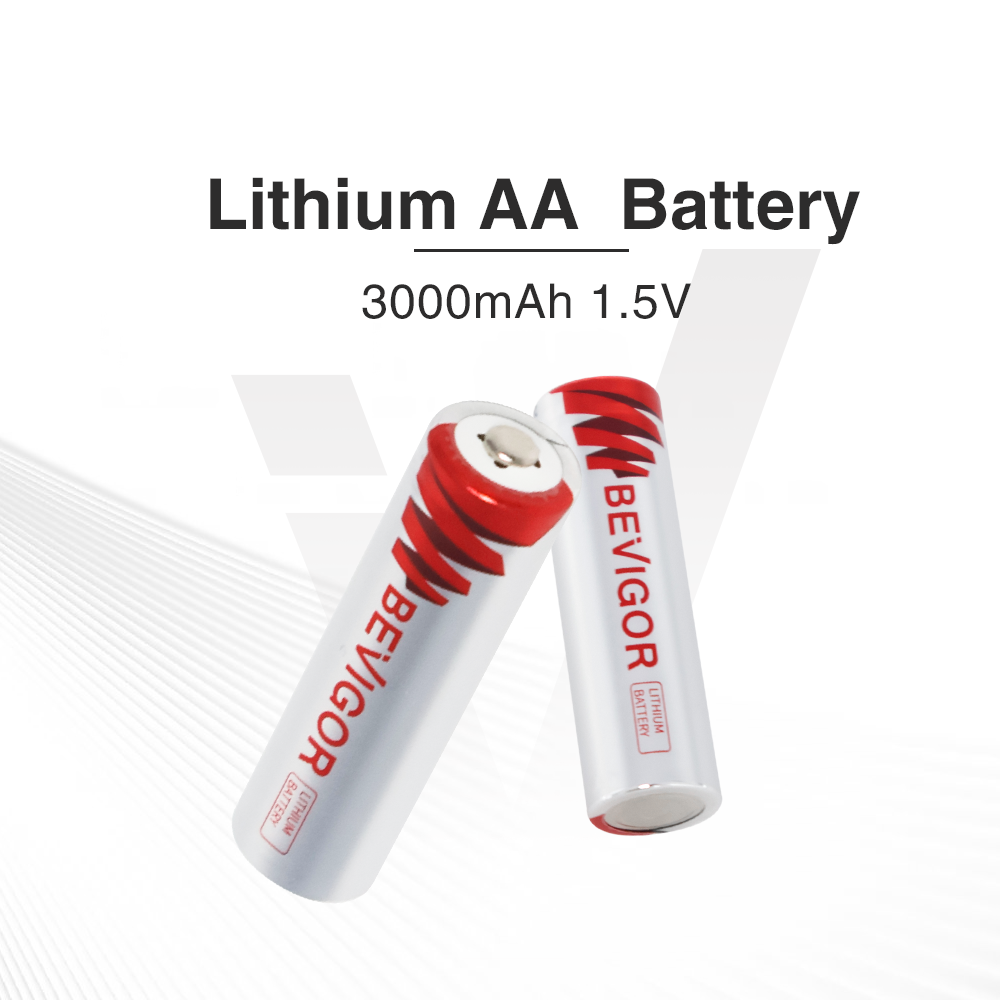
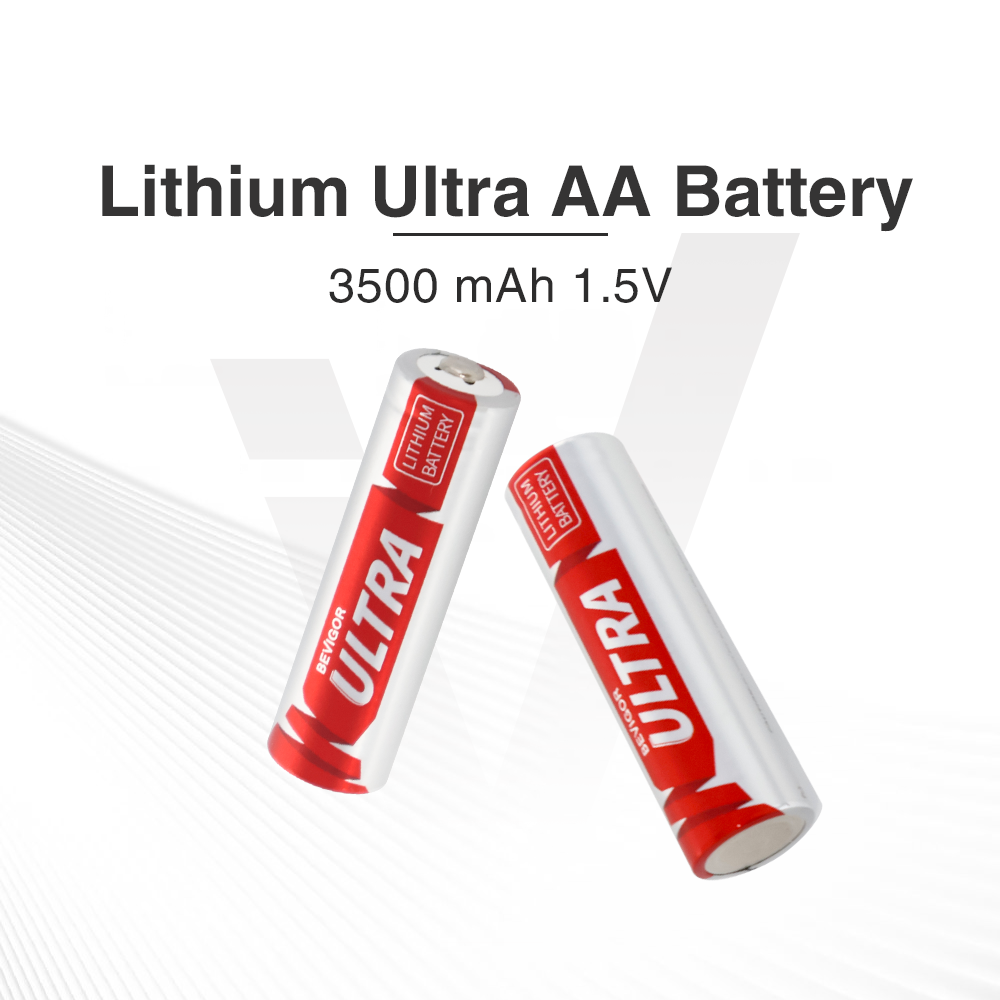
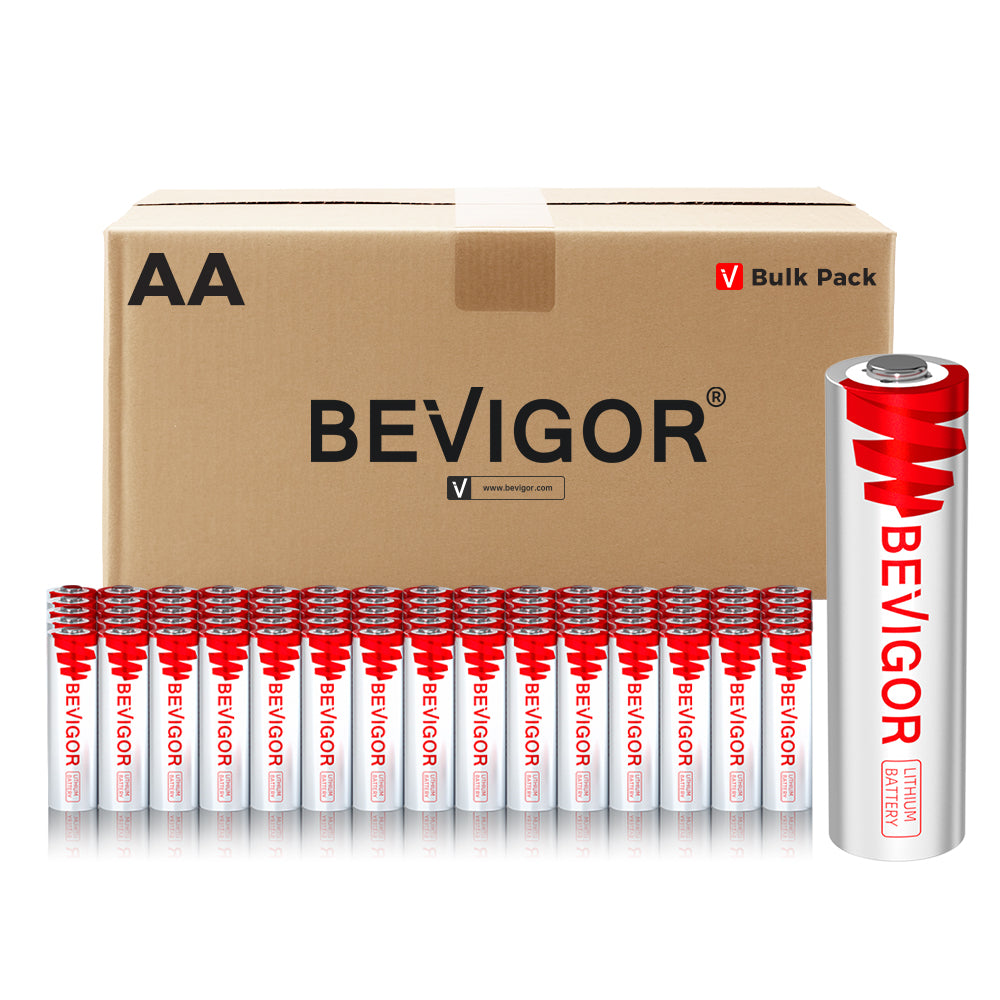
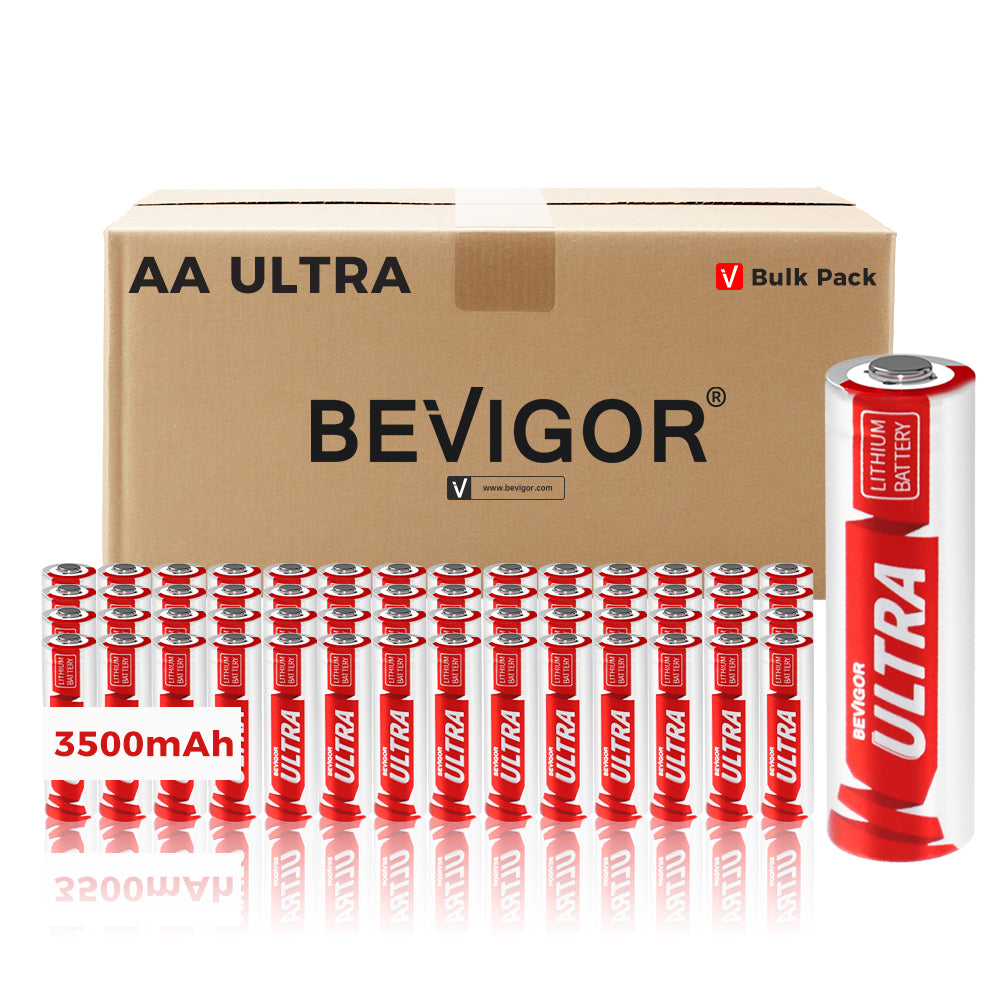
- If your device specifically takes AA lithium and you want a high-capacity option, BEVIGOR Ultra 3500mAh AA lithium batteries are listed as 1.5V AA lithium cells.
- If your device specifically takes CR123A/CR17345, BEVIGOR CR123A 3V lithium batteries (1500mAh) are listed as 3V cells.
If you want more general brand information about battery handling, BEVIGOR also maintains a customer FAQ: BEVIGOR FAQ.
To wrap it up, here's a simple routine you can reuse every time you replace batteries—so this stays a two-minute errand instead of a rabbit hole.
Next Steps (No-Guessing Workflow You Can Follow Every Time)
If you want a repeatable way to stop wasting time and money on batteries, here's a simple workflow:
- Take a photo of the battery code inside the device.
- Buy the exact match, in sealed packaging.
- Put spares away immediately (especially coin cells).
- For outdoor devices, keep one spare set in a plastic case.
- If a device still drains fast, check settings and signal strength before blaming the battery.
The goal isn't to memorize battery types. It's to get consistent results with a routine you'll actually use.
Once you do that, the shopping part gets boring. That's a good thing.
Finally, if you still have edge-case questions about codes, substitutions, or storage, this FAQ covers the quick answers people look for most.
FAQ: Quick Answers to Common Questions
Do I have to match the battery code exactly?
Usually, yes. Even when voltage is the same, size and thickness affect fit and contact.
Is a CR2025 the same as a CR2032?
No. Same diameter, different thickness.
What does "CR" mean?
In common consumer battery labeling, "CR" is used for many 3V lithium coin cells. The numbers tell you the size.
Are lithium batteries the same as lithium-ion?
No. Many everyday replaceable lithium batteries are primary (non-rechargeable). Lithium-ion is rechargeable and usually comes as a pack.
What should I do if a child might have swallowed a coin battery?
Treat it as an emergency. Follow Poison.org's button battery ingestion guideline (linked earlier) and call 1-800-222-1222.
Why does my device say "low battery" right after I put in a new one?
The most common reasons are the boring ones.
The battery may be installed upside down. The compartment may not be fully closed. The battery may be the wrong thickness and isn't making firm contact. Or the contacts may be dirty.
If it's a coin-cell device and the "new" battery came from an old pack that was left open in a drawer, try a fresh one from sealed packaging.
Can I store spare coin batteries in my glove box?
It's better to store them indoors.
Cars can get very hot or very cold depending on season and location. Temperature swings and humidity aren't ideal for storage, and a loose coin cell in a car can also become a safety hazard.






Aktie:
Why You Should Choose A Lithium Metal Battery For Summer Hiking
EPA Guide on How to Recycle a Lithium Battery Safely